
You now have a professional brand website that converts visitors into clients. But here’s what separates good sites from unforgettable ones: strategic and subtle animation and stellar performance optimization. A site that’s reactive and fast to load will leave a much better impression than a static and slow one.
This section reveals the 20% of advanced techniques that create 80% of the impact – all achievable in under 30 minutes of additional work.
Checkpoint Strategies That Save Hours
It’s common for vibe coders to lose hours of work because they didn’t checkpoint strategically. Before you start adding advanced features, here’s a system to ensure you build efficiently without setbacks:
- Checkpoint your working live site – this means if you make any changes you’re not happy with you can always come back to this point
- Add your new feature (i.e testimonials, animations, new section)
- Test it thoroughly in your site preview
- If it works, deploy the update. If it causes issues, restore the site to your checkpoint and try a different approach
The Power Move: Iterating With Checkpoints
Want to test two completely different approaches? Create a checkpoint and try your option A. Then, if it’s not working, restore your checkpoint and try your option B.
This is far faster than explaining to the AI what to undo – and why professionals always checkpoint before experiments. This allows you to try new features through iteration. After your site is live, every checkpoint should represent a stable, deployable state.
When to Add Animations: The Professional Standard
Animation is seasoning – a little enhances everything, too much ruins the meal. Here’s your guide to animations that impress without annoying, organized by how freely you should use them.
Always Use: Subtle Hover Effects
These should be on every professional site – they’re the foundation of interactive polish. And, the Agent may have already added them, but if not, you can use this prompt:



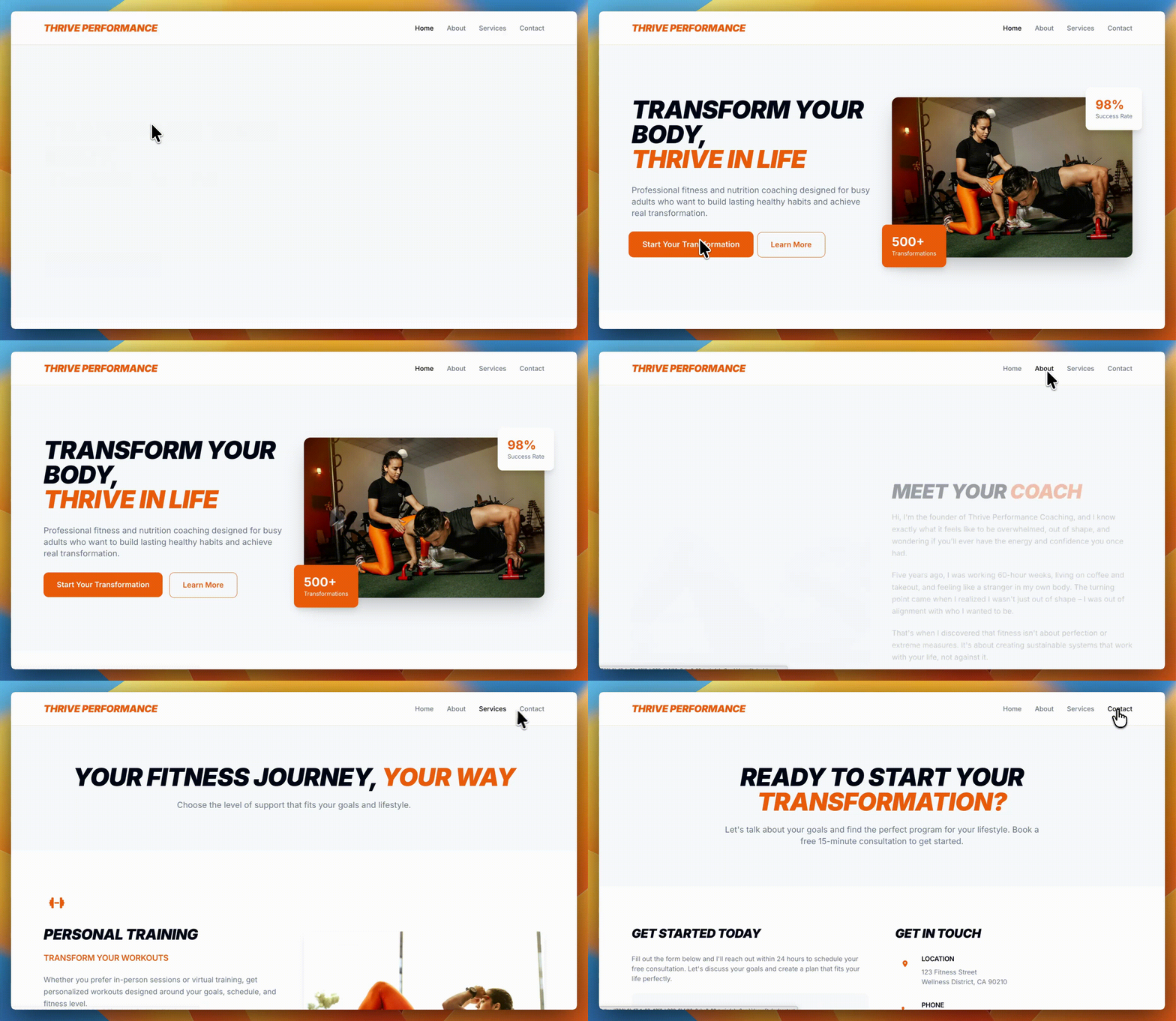
Add subtle hover effects to all interactive elements:
- Buttons: Slight scale (1.05) and shadow on hover
- Links: Smooth color transition over 0.3s
- Cards: Lift slightly with shadow on hover
- Images in galleries: Gentle zoom or overlay effect
- Navigation items: Underline slide-in or background fade
Why they work: These micro-interactions tell users “this is clickable” without being distracting. They’re expected on modern sites.
Always Use: Header Animations
Start here for a professional polish across your entire site:



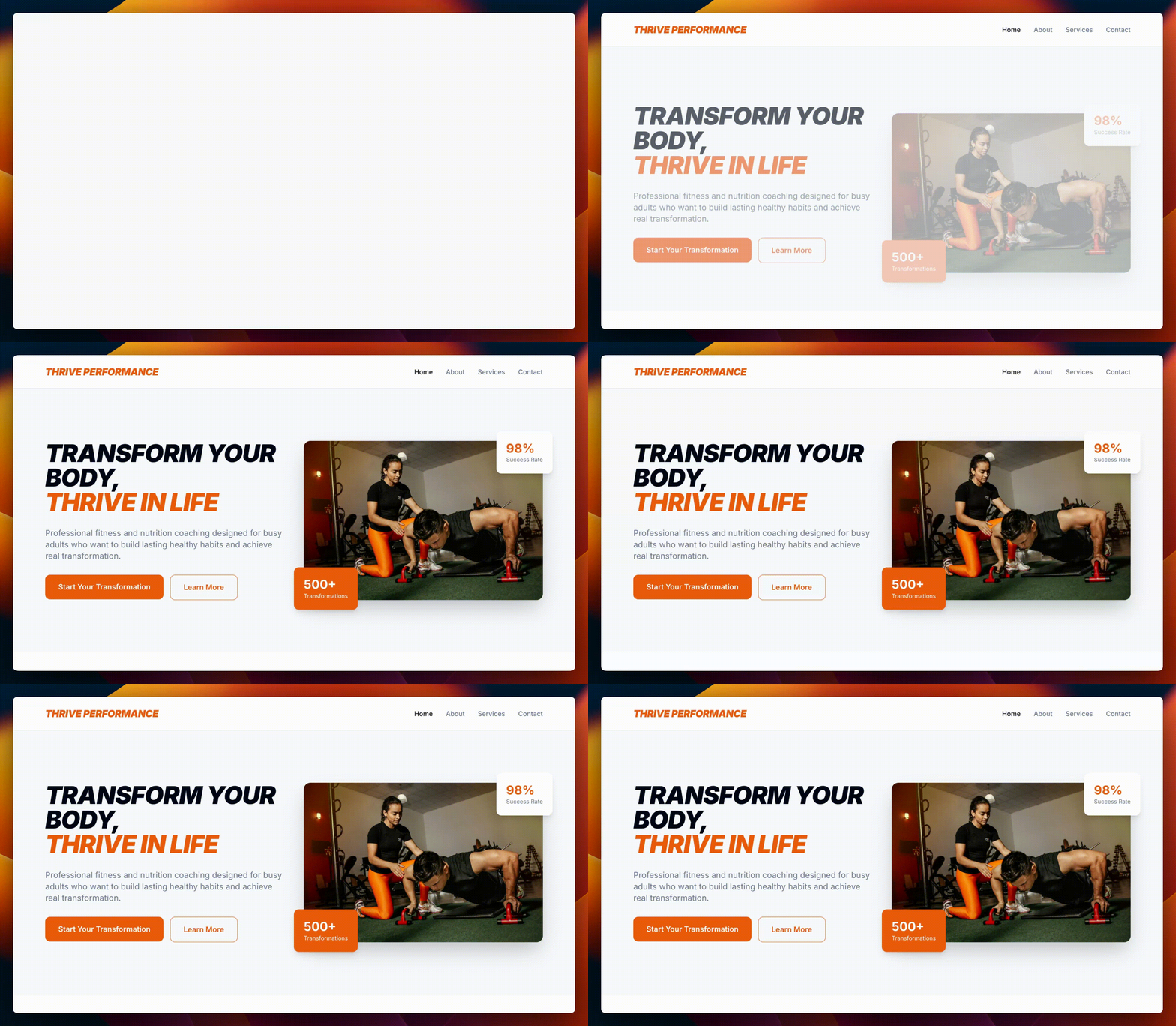
Add a professional header animation system:
- Fade-in for hero section on page load (0.8s duration)
- Smooth transitions for all color changes (0.3s)
- Scale buttons to 1.05 on hover with transition
- Add subtle box-shadow to cards on hover
- Ensure all animations respect prefers-reduced-motion settings
Add Selectively: Scroll-Triggered Effects
These work great for portfolios and creative businesses, but skip them for conservative industries (law, finance, medical):
The Stagger Effect (great for cards or multiple images):
Add stagger animation to the team cards:
- Each card should fade in with a 0.1s delay after the previous one
- Total animation time should not exceed 1 second
- Only animate on first view, not on scroll back up
The Number Counter (for statistics):
Add a counting animation to statistics:
- When the stats section becomes visible, numbers should count up from 0 to their final value over 2 seconds
- Use easing for natural feeling
- Format numbers with commas appropriately
For Hero Headlines: The Text Reveal
Add a professional text reveal to the hero headline:
- Words should fade in from bottom with slight movement
- Each word delays 0.1s after previous
- Total duration under 1 second Smooth and subtle, not dramatic
When to use: These add “wow factor” but can feel gimmicky for traditional businesses. Ask yourself: does my brand personality support playful animations?
Working with External Animation Libraries
Sometimes you want animations beyond the basic. Here’s how to level up your animation game:
Integrating Framer Motion
Framer Motion is a powerful library of animations that you can integrate into your site with a few words.


Integrate Framer Motion for advanced animations:
- Add smooth page transitions between routes
- Create animated presence for modals
- Add gesture-based interactions for mobile
- Keep everything performant and accessible
Performance Optimization for Animated Sites
Animations can kill site performance if done wrong. Here’s a prompt that will help you keep things smooth:
Optimize all animations for performance:
- Use CSS transforms instead of position changes
- Animate only transform and opacity properties
- Add ‘will-change’ property for animated elements
- Use hardware acceleration with transform: translateZ(0)
- Disable animations on mobile if performance suffers
Advanced Features Worth Adding
These features elevate your site from good to exceptional – but they’re also the most complex additions in this guide. The AI might struggle with these implementations, so create a checkpoint before attempting any of them. Watch your site preview closely as changes happen. If things break, restore your checkpoint and try a simpler approach or tackle these features one at a time instead of all at once.
The Trust-Builder Prompt



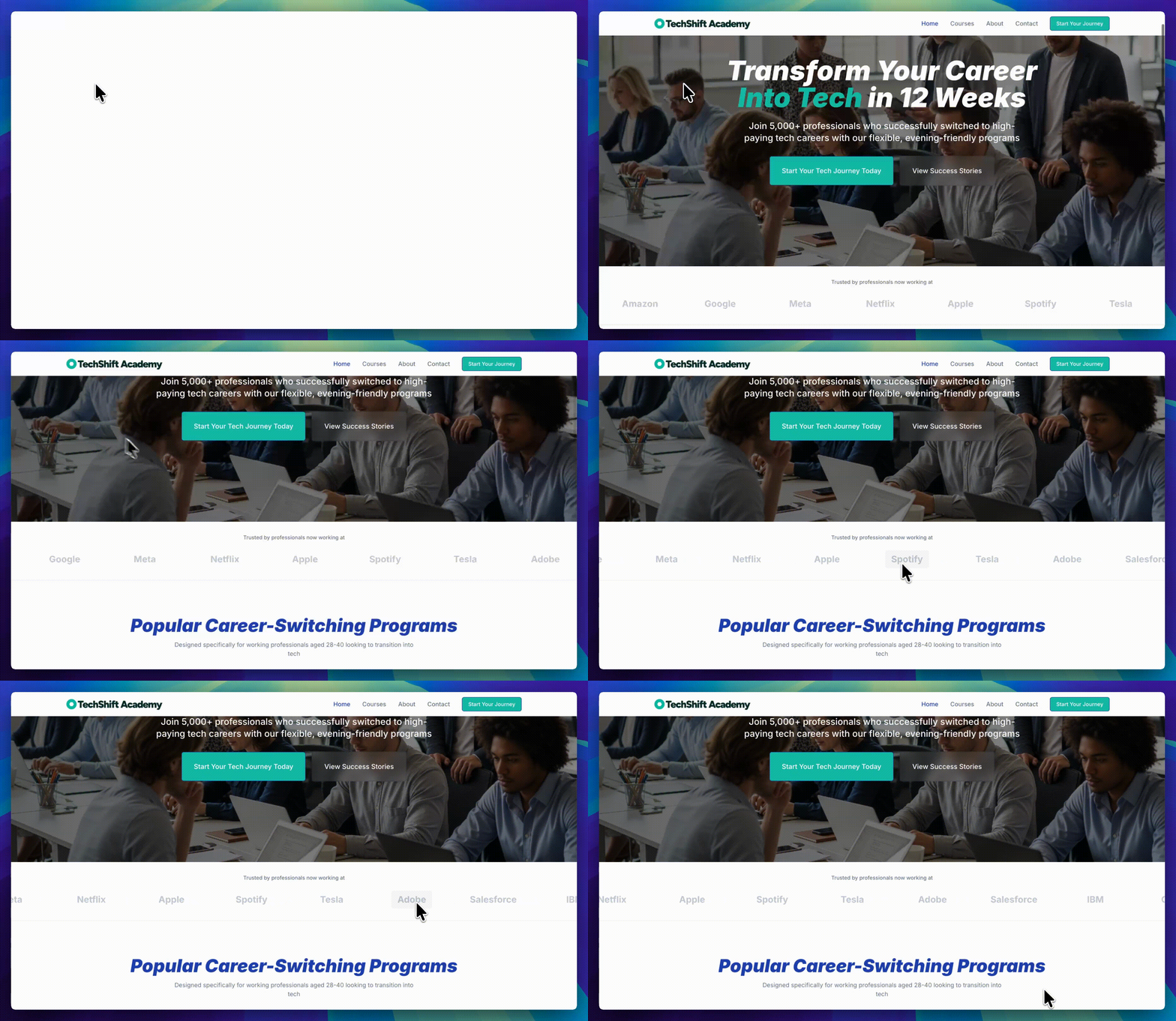
A trust-builder section will help users see social proof elements that make visitors feel confident about working with you by showcasing recognizable clients, testimonials, and credibility indicators.
Add trust-building elements:
- Client logo bar with gentle scroll
- Testimonial carousel with fade transition
- Case study cards with hover effects
- Trust badges with subtle animation
- Professional loading states for all actions
The Conversion Optimizer Prompt
This prompt will help increase the chances of visitors contacting you by strategically placing buttons that encourage people to take action, in key places.

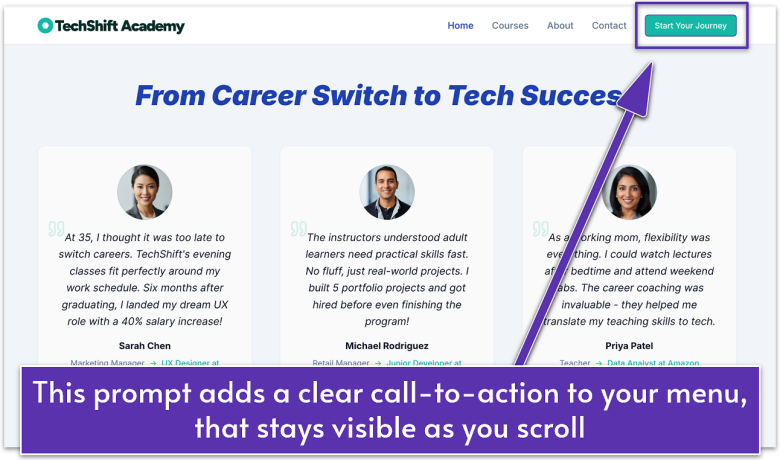
Add conversion-focused features:
- Sticky CTA button that appears on scroll
- Exit-intent popup (subtle, not aggressive)
- Progress bar for long pages
- Floating contact button on mobile
- Smart form validation with helpful messages
The SEO Powerhouse Prompt
This SEO prompt will help search engines understand and rank your site better, making it easier for potential clients to find you on search engines like Google.
Implement advanced SEO features:
- Automatic schema markup for local business
- Dynamic meta descriptions for all pages
- OpenGraph images for social sharing
- JSON-LD structured data
- Automatic sitemap generation
When to Stop Adding Features
Here’s the truth: you can always add more. But should you? The most professional sites aren’t the ones with the most features – they’re the ones where every feature serves a purpose.
What to consider before adding features:
- Does this help visitors take action?
- Does it build trust or credibility?
- Will it slow down the site?
- Is it worth the complexity?
These questions will help you truly judge whether a feature will help make your site better, or whether it’ll just introduce more problems later.
Client Work and Vibe Coding
Want to build sites for clients? Don’t make your first client your guinea pig. Build three sites this week – your own, a friend’s, and a complete remake of a site you love. By site three, you’ll know exactly how long the process really takes.
Clients need to know what to expect, how long it will take, and what it will cost. You can only provide that information with confidence after you’ve built a few sites yourself.
Practice is a powerful teacher. You’ll discover inefficiencies about your process – maybe you nail the initial build in 20 minutes but spend an hour obsessing over mobile layouts. Maybe the AI keeps adding features you said not to include (it happens). Or perhaps you’re fast at adding content but slow at building testimonial sliders.
This hands-on experience gives you the perspective you need to realize and work on your weaknesses, and to be able to properly quote a client based on your current skillset.
As you keep practicing, you’ll get more and more knowledge about what works and what doesn’t. This is what will help you deliver quality sites consistently and collaborate successfully with your clients. With enough time, you’ll be able to compete with agencies that charge thousands of dollars and take months to deliver.
Your Graduation Moment
You started this guide not knowing what vibe coding could do.. Now you’re adding professional animations, managing checkpoints like a developer, and building sites that rival agency work.
Let’s put this into perspective: traditional web development bootcamps cost $15,000 and take six months. Agency websites start at $5,000 and take weeks. You just learned to build the same quality sites in hours for a few dollars.
The New Reality
Your website is live. It’s professional. It has subtle animations and thoughtful interactions. But this is just the beginning.
You’re now part of a shift in how websites get built. Not through code. Not through templates. Through conversation. Through describing what you want and watching it materialize.
Welcome to the builder’s club.
